
Notice
Recent Posts
Recent Comments
Link
250x250
| 일 | 월 | 화 | 수 | 목 | 금 | 토 |
|---|---|---|---|---|---|---|
| 1 | 2 | 3 | ||||
| 4 | 5 | 6 | 7 | 8 | 9 | 10 |
| 11 | 12 | 13 | 14 | 15 | 16 | 17 |
| 18 | 19 | 20 | 21 | 22 | 23 | 24 |
| 25 | 26 | 27 | 28 | 29 | 30 | 31 |
Tags
- for
- Rag
- DATAPATH
- MIPS
- openai
- php
- Class
- Java
- python
- react
- function
- Algorithm
- github
- AI
- XML
- data structure
- DB
- architecture
- web
- computer
- mysql
- CSS
- html
- Linux
- DS
- javascript
- control
- instruction
- system
- Pipelining
Archives
- Today
- Total
YYYEJI
[github] Collaborator 초대받은 repository 확인하는 방법 본문
728x90

Collaborator란?
Repository의 공동 책임자입니다.
Colaborator로 초대받은 repo를 확인하고 싶을 때는 아래와 같이 해주시면 됩니다.
① Settings에 들어갑니다.
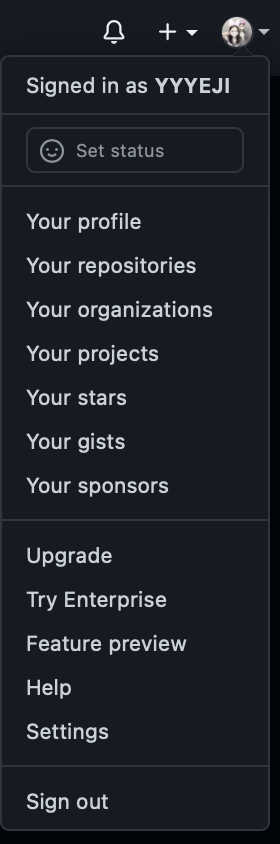
② repositories를 눌러주면 모든 repo의 history가 보일 것입니다.
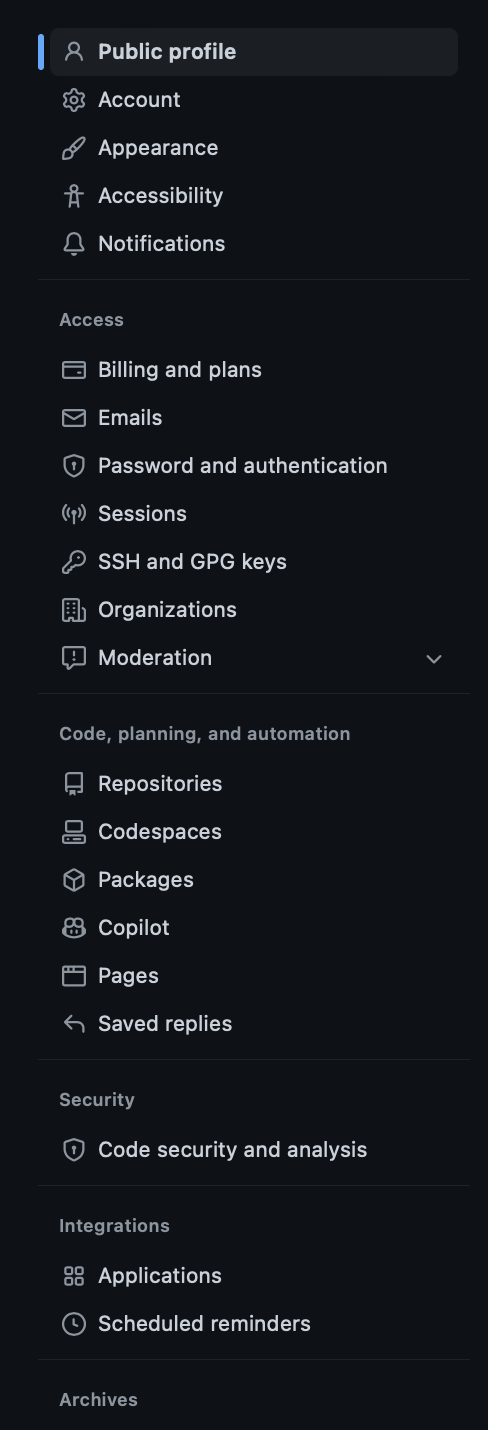
◡̈
728x90
'Github' 카테고리의 다른 글
| [Github] Collaborator 추가하기 (0) | 2022.12.09 |
|---|---|
| [Git] MacOS에서 git 개발환경 초기설정 (0) | 2022.09.03 |
| [Git] Octotree란 ? (0) | 2022.09.02 |
| [Git] gitignore 파일 자동으로 만들기 (0) | 2022.09.02 |
| [Git] 맥(macOS)에서 git 설치하기 (0) | 2022.08.04 |
'Github' Related Articles
more


